
Get started
VectorDesk documentation
Set up, run and get the most from VectorDesk, the IT service desk for organisations that run on Microsoft 365 and the IT providers who support them.
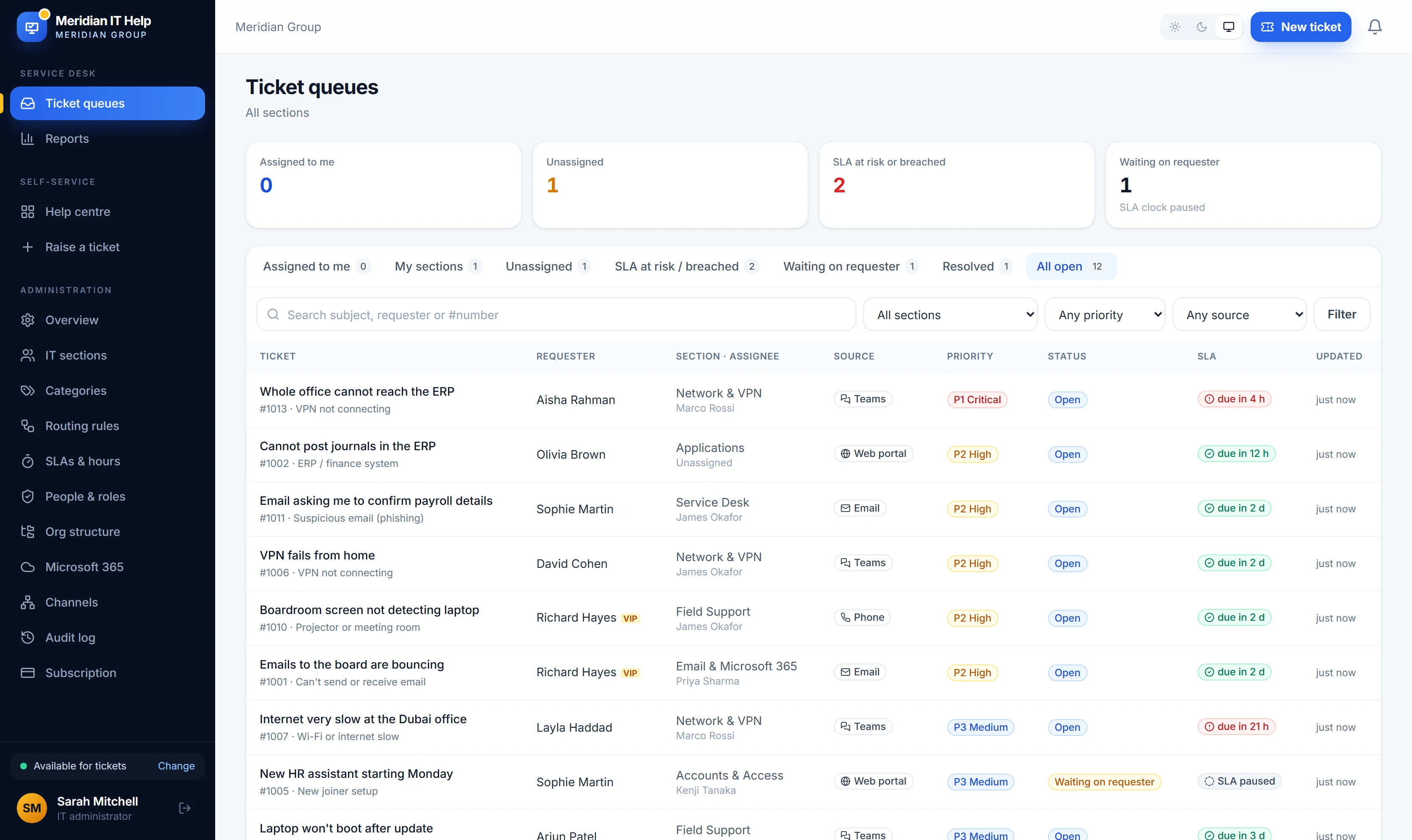
VectorDesk brings every IT request into one queue, sends it to the right person and tracks it against your service levels until it is resolved. Staff ask for help in Microsoft Teams, by email, in the web help centre or by phone; your IT team works all of it in one place.
Find your way#
| You are | You use VectorDesk to | Start here |
|---|---|---|
| Member of staff | Ask IT for help, follow your requests, read help articles and take assigned courses | Getting help |
| Agent or team lead | Work tickets, meet service levels, plan follow-ups and write help articles | Working tickets |
| IT administrator | Set up sections, routing, SLAs, Microsoft 365, security and billing | Quick start |
| IT service provider | Support client companies, log time against contracts and invoice them | VectorDesk Connect |
How VectorDesk fits together#
- Requests come in from Teams, email, the help centre, phone calls and walk-ins. Each becomes a ticket with a number.
- Routing sends each ticket to an IT section and, where you choose, to a person, based on its category, the requester's department and location, keywords and VIP status.
- Service levels set response and resolution targets per priority, counted in business hours, with warnings before a target is missed.
- The knowledge base answers common questions before they become tickets, and suggests articles while people describe their problem.
- Reports show volumes, response and resolution times, SLA performance and satisfaction, by section, technician and department.
Larger IT departments add approvals, major incidents, problem and change management, assets and renewals, automations and the AI assistant. IT providers add VectorDesk Connect to support their own clients.
Where things are in the app#
After signing in, the left menu has three groups:
- Service desk: the work. Ticket queues, My tasks, Calendar, Major incidents, Problems, Changes, Customers, Assets, Renewals, Reports and Knowledge base.
- Self-service: what every member of staff sees. Help centre, Help articles, My learning, Service status and Raise a ticket.
- Administration: settings, shown only to people allowed to change them.
Note
Some features depend on your plan (Starter, Business or Enterprise). Each page of this documentation says which plan a feature needs. See Plans and billing.
Languages#
Every screen, email, Teams card and invoice is available in English, French and Spanish. Each person chooses their language in My profile; the organisation's default is set under Administration → Channels.
© 2026 Tenrix Technology Group. VectorDesk is a product of Tenrix Technology Group. Microsoft, Microsoft 365 and Teams are trademarks of the Microsoft group of companies.